Scams

Common Online Scams in 2026 and How to Avoid Them
By Marcus Hale · · 8 min read

Scams change costume but rarely change their script: create urgency or strong emotion, then ask for money, personal details, or account access. If you learn that pattern, you can recognise almost any scam — even brand-new ones. Here are the schemes most common in 2026 and the simple rules that stop them.

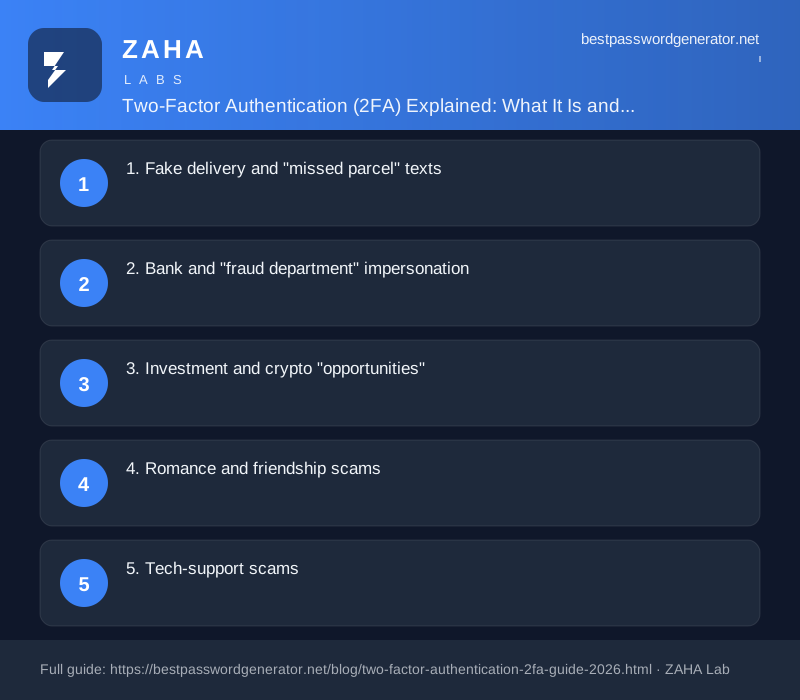
1. Fake delivery and "missed parcel" texts

A text claims a package could not be delivered and asks you to pay a small fee or "confirm details" via a link. The fee is bait; the real goal is your card number or login. Couriers do not collect redelivery fees by random text. Check any delivery directly on the carrier's official site or app, never through the link.

2. Bank and "fraud department" impersonation

You get a call or message: someone from your bank's "security team" says your account is under attack and you must move your money to a "safe account" or read out a code. This is one of the most damaging scams around. Your real bank will never ask you to transfer money to keep it safe, nor ask for a one-time code. Hang up and call the number on the back of your card.

Golden rule: nobody legitimate will ever ask you to move money to "protect" it, or to pay a fee in gift cards or cryptocurrency. Both are scam signatures.

3. Investment and crypto "opportunities"

Guaranteed returns, a tip from a stranger in a group chat, a slick site with a live "profit" ticker. These cons let you "withdraw" a small amount early to build trust, then encourage a large deposit that vanishes. Real investments do not guarantee profits, and pressure to act fast is a warning, not an opportunity.

4. Romance and friendship scams

Someone builds a warm relationship over weeks or months, then a crisis appears — a medical bill, a customs fee, a stranded trip — and they need your help. The emotional bond is the weapon. A genuine connection who refuses every video call and only ever needs money deserves real scepticism, however painful that is to consider.

5. Tech-support scams

A pop-up or call warns that your computer is "infected" and urges you to call a number or install software so they can "fix" it. Once they have remote access, they can steal data or demand payment. Real companies do not cold-call you about viruses. Close the pop-up, and never grant remote access to someone who contacted you first.

6. Marketplace and rental cons

A bargain item or apartment, but you must pay a deposit before viewing, or move the conversation off the platform. Once your money is sent, the listing — and the "seller" — disappears. Keep transactions on the platform, use payment methods with buyer protection, and be wary of any deal that needs an upfront wire transfer.

7. AI-polished phishing

Modern scam messages can be flawlessly written and even use cloned voices, so the old advice to "watch for bad spelling" is no longer enough. Polish is not proof. The reliable defence is to verify any unexpected request through a channel you already trust, regardless of how convincing it looks or sounds. Many of these begin as phishing, which we cover in how to spot a phishing email.

The three rules that cover almost everything

  1. Slow down. Urgency is the scammer's favourite tool. A genuine matter survives a pause to verify.
  2. Verify independently. Contact the company or person through a number or website you find yourself, not the one in the message.
  3. Protect your accounts. Unique passwords and two-factor authentication mean that even a slip rarely becomes a takeover.

Strong, unique passwords are part of that armour — you can create them with our free password generator, and the broader playbook lives in our web security basics guide.

If you have already been caught

Act fast. Call your bank to stop or reverse any payment, change passwords on affected accounts, switch on two-factor authentication, and report it to your country's fraud authority. Speed matters — the sooner you move, the better your odds of limiting the damage.

Frequently asked questions

What do most online scams have in common?

They create urgency or strong emotion, then ask for money, personal details, or account access. If a message rushes you and asks for one of those three, treat it as a scam until you verify it independently.

How can AI make scams more convincing?

AI tools can write flawless messages and clone voices, so polish is no longer proof of legitimacy. The defence is unchanged: verify requests through a trusted channel rather than trusting how genuine something looks or sounds.

I think I have been scammed. What should I do first?

Contact your bank to stop or reverse payments, change passwords on any affected accounts, enable two-factor authentication, and report it to your national fraud authority. Acting quickly improves your chances of recovery.

Why do scammers want me to pay with gift cards or crypto?

Because those payments are fast and very hard to reverse. Any request to pay a debt, fine, or fee in gift cards or cryptocurrency is a near-certain sign of a scam.

This article is general security education, not professional advice.

Security basics

Two-Factor Authentication (2FA) Explained: What It Is and Why You Need It

By Marcus Hale · · 8 min read

Two-factor authentication (2FA) is the single most effective thing you can do to protect your online accounts. Here is what it is, how the different types work, and which one you should use in 2026.

What is two-factor authentication?

Two-factor authentication adds a second check after your password. Instead of just typing a password to log in, you also provide something else — a code from an app, a text message, or a physical key. Even if a hacker steals your password, they cannot log in without that second factor.

The core idea comes from three categories: something you know (your password), something you have (your phone or a security key), and something you are (your fingerprint or face). 2FA combines your password with one of the other two categories. The National Cyber Security Centre (NCSC) recommends enabling 2FA on all important accounts as a baseline security measure.

1. SMS and email codes

A code sent by text message or email is the most common form of 2FA. When you log in, the service texts you a six-digit code that expires in a few minutes. It is better than no 2FA at all, but it has known weaknesses. SIM-swap attacks let criminals redirect your texts to their phone. The National Institute of Standards and Technology (NIST) advises against SMS-based 2FA because SMS messages can be intercepted. Use an authenticator app instead wherever possible.

2. Authenticator app codes (TOTP)

Apps like Google Authenticator, Microsoft Authenticator, and Authy generate six-digit codes that refresh every 30 seconds. The code is generated on your device using a shared secret key — no network message is sent, so SIM-swap attacks do not work. Time-based One-Time Password (TOTP) is the technical name for this method. It is free, works offline, and is a major step up from SMS codes.

Even better: use an authenticator app that supports cloud backup (like Authy or 2FAS) so you are not locked out if you lose your phone.

3. Hardware security keys (FIDO2 / WebAuthn)

A physical key like a YubiKey or Google Titan key plugs into your computer or pairs via NFC with your phone. These keys use public-key cryptography — the website sends a challenge, and the key signs it with a private key stored on the device. No code to type, no code to intercept. Phishing-resistant MFA is the gold standard, recommended by CISA and the NCSC for high-value accounts like email, cloud providers, and financial services.

Why 2FA matters more than ever in 2026

The Verizon 2026 Data Breach Investigations Report found that stolen or weak credentials caused 61% of all data breaches. Yet fewer than 30% of internet users have enabled 2FA on their primary email account. Credential-stuffing attacks — where automated scripts try millions of stolen username-password pairs from past breaches — are the most common attack on consumer accounts.

Two-factor authentication blocks credential-stuffing attacks instantly. Even if your email and password appear in a breach (check Have I Been Pwned), the attacker cannot log in without the second factor. The IBM Cost of a Data Breach 2026 report estimates that organisations using MFA reduce breach costs by an average of $1.5 million.

How to set up 2FA on your accounts

Here are the accounts to protect first, in order of priority:

  1. Email — your email is the key to resetting every other password. Enable 2FA using an authenticator app, not SMS.
  2. Password manager — most password managers (Bitwarden, 1Password, Keeper) now require or strongly encourage 2FA for vault access.
  3. Bank and financial accounts — most banks offer 2FA. If yours only sends SMS codes, ask whether they support a TOTP app or hardware key.
  4. Social media and cloud storage — Google, Apple, Microsoft, Meta, and Amazon all support authenticator app 2FA. Enable it in your account security settings.

FAQs

Is 2FA the same as MFA?

Multi-factor authentication (MFA) is the broader term that includes 2FA. 2FA uses exactly two factors; MFA can use two or more. Most people use the terms interchangeably.

Can 2FA be hacked?

No security measure is perfect. SMS codes can be intercepted by SIM-swap attacks. TOTP codes can be stolen by real-time phishing pages that proxy the login flow. Hardware security keys are the only method resistant to real-time phishing. But any 2FA is vastly more secure than a password alone.

What happens if I lose my phone?

If you use an authenticator app without cloud backup and lose your phone, you could be locked out. Most services provide backup codes when you set up 2FA — save these in a safe place (like your password manager). Apps like Authy and 2FAS offer encrypted cloud backups so you can restore codes on a new device.

body>
Scams

Common Online Scams in 2026 and How to Avoid Them

By Marcus Hale · · 8 min read

Scams change costume but rarely change their script: create urgency or strong emotion, then ask for money, personal details, or account access. If you learn that pattern, you can recognise almost any scam — even brand-new ones. Here are the schemes most common in 2026 and the simple rules that stop them.

1. Fake delivery and "missed parcel" texts

A text claims a package could not be delivered and asks you to pay a small fee or "confirm details" via a link. The fee is bait; the real goal is your card number or login. Couriers do not collect redelivery fees by random text. Check any delivery directly on the carrier's official site or app, never through the link.

2. Bank and "fraud department" impersonation

You get a call or message: someone from your bank's "security team" says your account is under attack and you must move your money to a "safe account" or read out a code. This is one of the most damaging scams around. Your real bank will never ask you to transfer money to keep it safe, nor ask for a one-time code. Hang up and call the number on the back of your card.

Golden rule: nobody legitimate will ever ask you to move money to "protect" it, or to pay a fee in gift cards or cryptocurrency. Both are scam signatures.

3. Investment and crypto "opportunities"

Guaranteed returns, a tip from a stranger in a group chat, a slick site with a live "profit" ticker. These cons let you "withdraw" a small amount early to build trust, then encourage a large deposit that vanishes. Real investments do not guarantee profits, and pressure to act fast is a warning, not an opportunity.

4. Romance and friendship scams

Someone builds a warm relationship over weeks or months, then a crisis appears — a medical bill, a customs fee, a stranded trip — and they need your help. The emotional bond is the weapon. A genuine connection who refuses every video call and only ever needs money deserves real scepticism, however painful that is to consider.

5. Tech-support scams

A pop-up or call warns that your computer is "infected" and urges you to call a number or install software so they can "fix" it. Once they have remote access, they can steal data or demand payment. Real companies do not cold-call you about viruses. Close the pop-up, and never grant remote access to someone who contacted you first.

6. Marketplace and rental cons

A bargain item or apartment, but you must pay a deposit before viewing, or move the conversation off the platform. Once your money is sent, the listing — and the "seller" — disappears. Keep transactions on the platform, use payment methods with buyer protection, and be wary of any deal that needs an upfront wire transfer.

7. AI-polished phishing

Modern scam messages can be flawlessly written and even use cloned voices, so the old advice to "watch for bad spelling" is no longer enough. Polish is not proof. The reliable defence is to verify any unexpected request through a channel you already trust, regardless of how convincing it looks or sounds. Many of these begin as phishing, which we cover in how to spot a phishing email.

The three rules that cover almost everything

  1. Slow down. Urgency is the scammer's favourite tool. A genuine matter survives a pause to verify.
  2. Verify independently. Contact the company or person through a number or website you find yourself, not the one in the message.
  3. Protect your accounts. Unique passwords and two-factor authentication mean that even a slip rarely becomes a takeover.

Strong, unique passwords are part of that armour — you can create them with our free password generator, and the broader playbook lives in our web security basics guide.

If you have already been caught

Act fast. Call your bank to stop or reverse any payment, change passwords on affected accounts, switch on two-factor authentication, and report it to your country's fraud authority. Speed matters — the sooner you move, the better your odds of limiting the damage.

Frequently asked questions

What do most online scams have in common?

They create urgency or strong emotion, then ask for money, personal details, or account access. If a message rushes you and asks for one of those three, treat it as a scam until you verify it independently.

How can AI make scams more convincing?

AI tools can write flawless messages and clone voices, so polish is no longer proof of legitimacy. The defence is unchanged: verify requests through a trusted channel rather than trusting how genuine something looks or sounds.

I think I have been scammed. What should I do first?

Contact your bank to stop or reverse payments, change passwords on any affected accounts, enable two-factor authentication, and report it to your national fraud authority. Acting quickly improves your chances of recovery.

Why do scammers want me to pay with gift cards or crypto?

Because those payments are fast and very hard to reverse. Any request to pay a debt, fine, or fee in gift cards or cryptocurrency is a near-certain sign of a scam.

This article is general security education, not professional advice.